
Eligibility conditions are return policy rule properties that define which customers, orders, or items within an order are eligible to be returned.
When a customer enters their order ID and their email, ZIP, or phone number in the return portal, ReturnGO automatically fetches relevant information about the order and customer from your eCommerce platform.
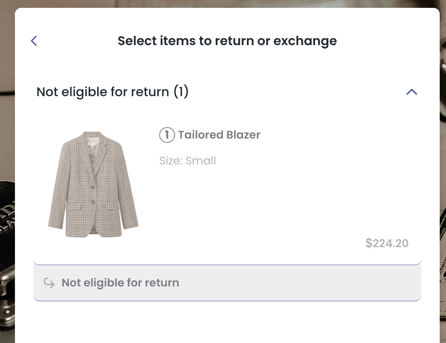
Using the information on the customer and their order, ReturnGO checks which items are eligible for returns based on the different eligibility rules in each return policy. Eligible items are then presented to the customer in the return portal, and item(s) that are not eligible will be marked as not eligible.
Parts of an Eligibility Rule
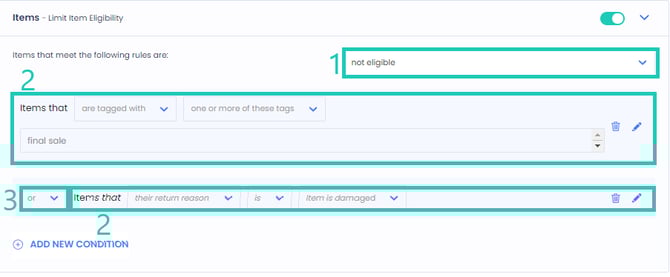
An eligibility rule is composed of three parts:
Result: Whether eligible or not eligible.
Conditions: Properties to check and test.
Logical Operator: Connects multiple conditions (AND/OR). This only appears if there are multiple conditions built under the same level.
-
OR - if at least one condition is TRUE, the result will be applied.
-
AND - if at least one condition is FALSE, the result will not be applied.
Eligibility rules are run against four levels of properties:
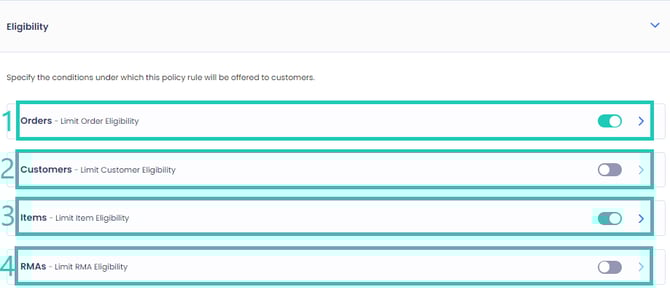
The net result will be the product of all results from all levels; if at least one condition level results in not being eligible, then the entire policy rule will not apply to the item being returned.
Order-Level Eligibility Conditions
Order-level eligibility conditions are conditions that must be met in order for an order to be eligible for a certain action or status.
ReturnGO currently supports the following order-level eligibility rules:
Eligibility based on order creation date
Define a relative or absolute eligibility limit based on the order's creation date.
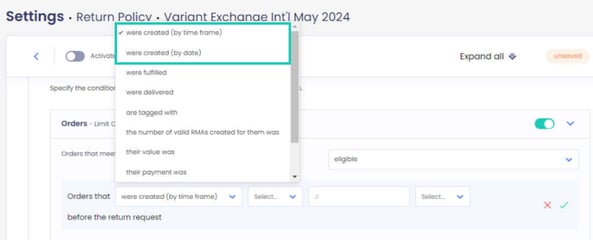
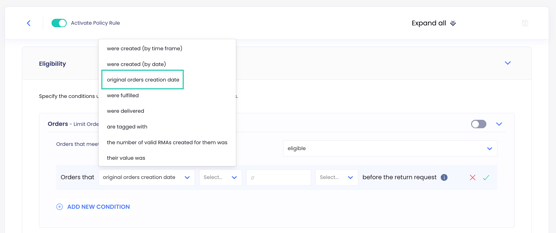
Eligibility based on original order creation date
Define a relative or absolute eligibility limit based on the creation date of the original order, rather than the order currently being returned.
This matters for exchange orders, where the new order is created on the day the exchange ships but the return window should be counted from the original purchase. You can define date-based eligibility using days or months as the time unit.
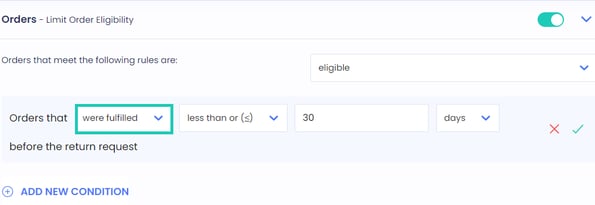
Eligibility based on order fulfillment date
Define an eligibility limit based on the order's fulfillment date in relation to the current date.
If the order fulfillment date is missing in your eCommerce platform, the fallback is that the order creation date will be used as a reference.
Eligibility based on order delivery date
Define an eligibility limit based on the order's delivery date in relation to the current date.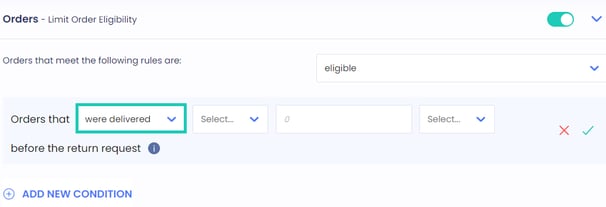
If the delivery date is missing, the fallback used for reference will depend on the tracking fallback settings.
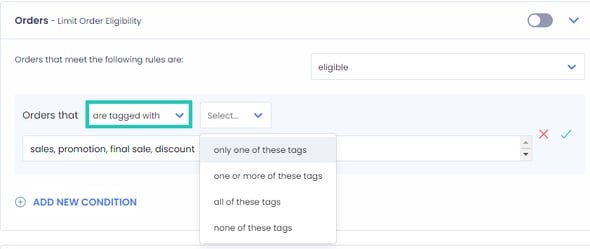
Eligibility based on order tags
Define a list of order-level tags to use for the eligibility condition.- Can be set to check all, some, or none of the defined tags.
- Not case sensitive.
- Accepts comma-separated values, for example A,B,C means A or B or C.
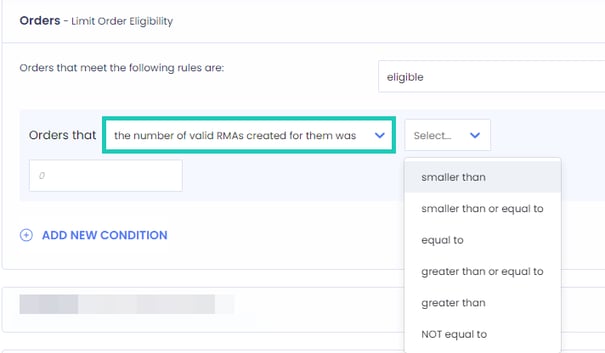
Eligibility based on the number of RMAs created
Define an eligibility limit based on the amount of RMAs the customer has created for the order.
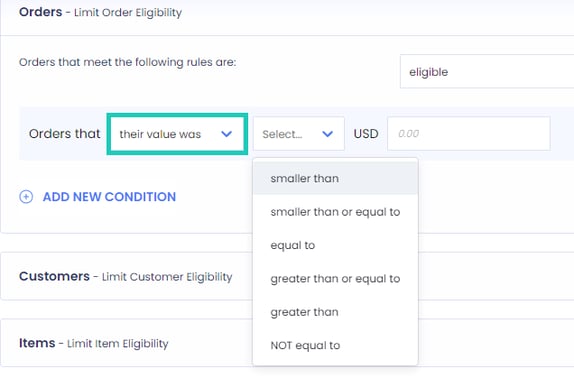
Eligibility based on order value
Define an eligibility limit based on the value paid for the order.
Eligibility based on payment type
Define an eligibility limit based on the payment type that was used or whether the order was paid for with or without store credits or gift cards. Can be set to only with, partially with or without.
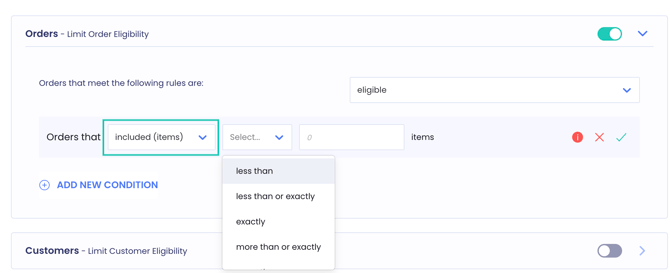
Eligibility based on the number of items included in the order
Define an eligibility limit based on how many items the order contains. This uses the raw item count, so quantities are counted individually.
Eligibility based on an order custom attribute
Define a limit based on a custom attribute on the order, using its key and value. Not case-sensitive and accepts comma-separated values.
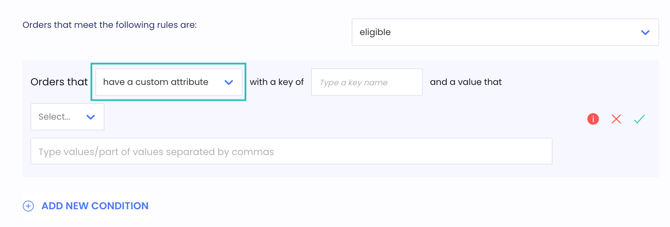
Note: This works the same way as the item-level custom attribute condition, except that it checks attributes stored on the order rather than on an individual line item.
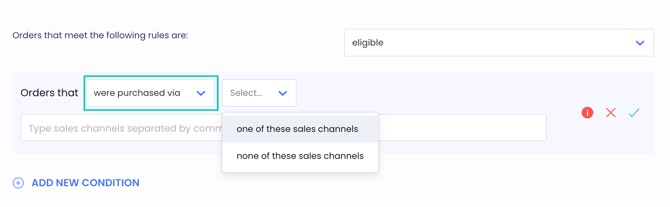
Eligibility based on the sales channel the order was purchased via
Define a limit based on the sales channel the order came through, such as your online store, POS, or a marketplace channel. Can be set to be one of the selected channels or none of them.
Customer-Level Eligibility Conditions
Customer-level eligibility conditions are conditions that must be met in order for a customer to be eligible for a certain action or status.
ReturnGO currently supports the following customer-level eligibility rules:
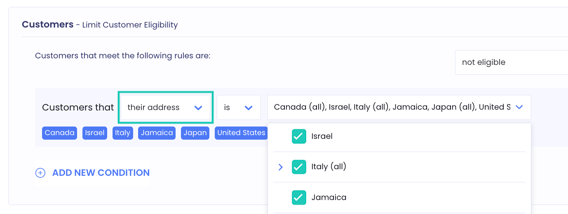
Eligibility based on the customer's location
You can select one or multiple countries, relevant states, or provinces to run the condition on. This condition uses OR logic, meaning you can set it to be eligible or not eligible if a customer is located in any of the selected locations.
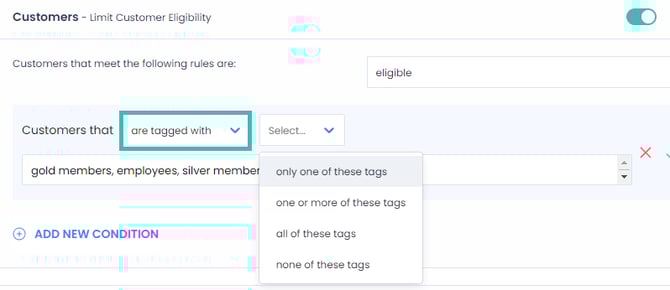
Eligibility based on customer tag
Define an eligibility limit based on the tags currently assigned to the customer.
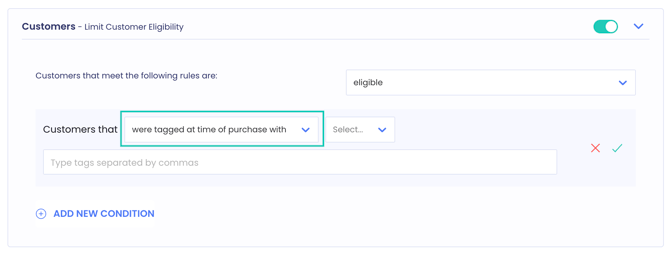
Eligibility based on the tags the customer had at the time of purchase
Define an eligibility limit based on the tags that were assigned to the customer on the date the order was placed, rather than the tags they carry now.
Use this when a customer's status can change after they buy. The tags they had at checkout are what determined the offer they received, so they are usually what the return policy should be based on.
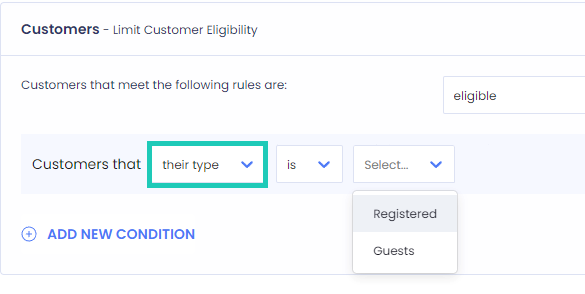
Eligibility based on customer type
Define an eligibility condition based on the customer type such as Registered or Guest.
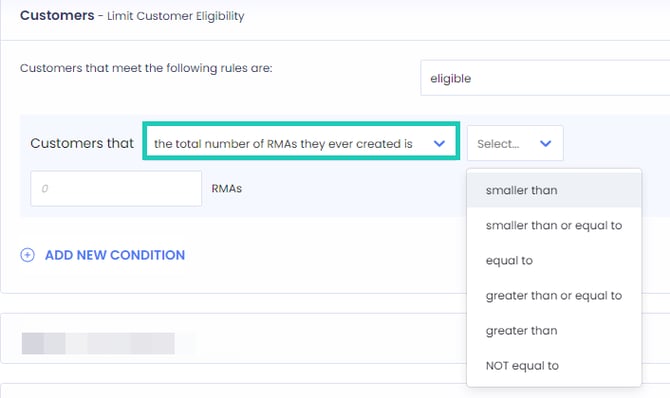
Eligibility based on the number of RMAs created by the customer
Define an eligibility limit based on the total number of RMAs that a customer has created.
Item-Level Eligibility Conditions
Item-level eligibility conditions refer to the specific requirements that an item must meet in order to be eligible for a certain action or status.
Note: ReturnGO does not support null/deleted items, since there is no data to process a return for an item that has been deleted from your store.
ReturnGO currently supports the following item-level eligibility rules:
Eligibility based on catalog price
Define a limit based on the catalog price of each item. The catalog price is the price of the item as displayed in the store.

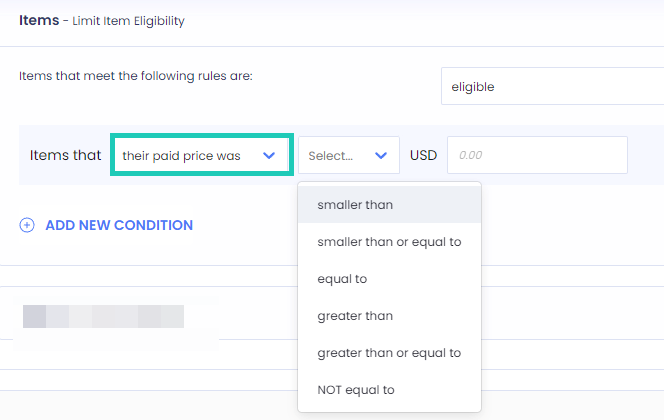
Eligibility based on the paid price
Define a limit based on the paid price of each item. The paid price is the catalog price minus any discounts applied to the item.
Eligibility based on cost
Define a limit for each item based on its cost. The cost is the merchant's monetary investment per item, which can be defined (for Shopify merchants) in Shopify Admin > Products.

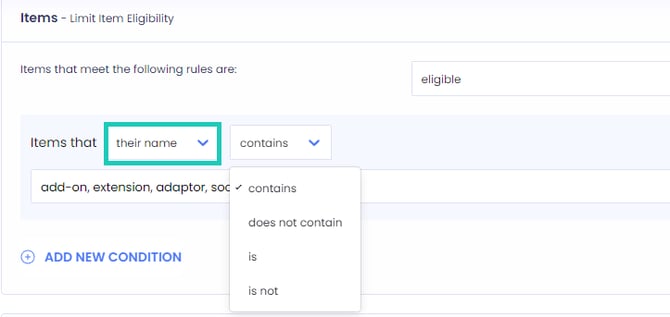
Eligibility based on the item name
Define a list of item names to run the condition on. Not case-sensitive and accepts comma-separated values, for example A, B, C means A or B or C.
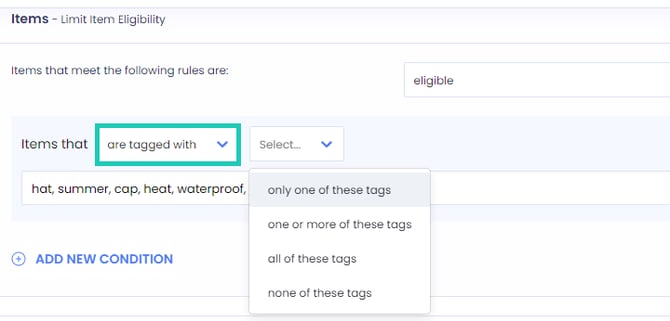
Eligibility based on the item's tags
Define a list of item tags to run the condition on. Can be set to test all, some, or none of the defined tags. Not case-sensitive and accepts comma-separated values, for example A, B, C means A or B or C.
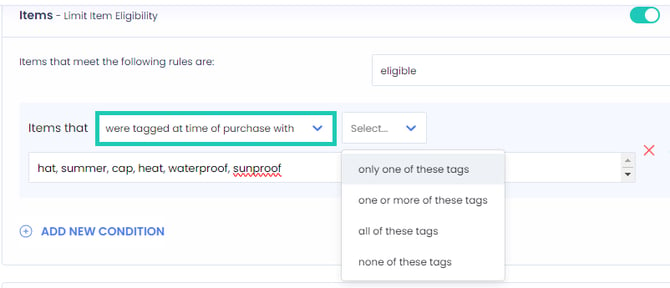
Eligibility based on the item’s historical tags
Define a list of item tags at the time of purchase. Can be set to test to all, some, only one, or none of the defined tags. Not case-sensitive and accepts comma-separated values, for example A, B, C means A or B or C.
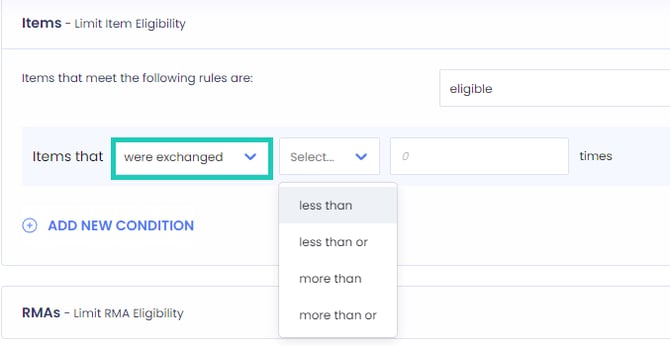
Eligibility based on the number of exchanges
Define a limit based on the number of times an item has been exchanged.
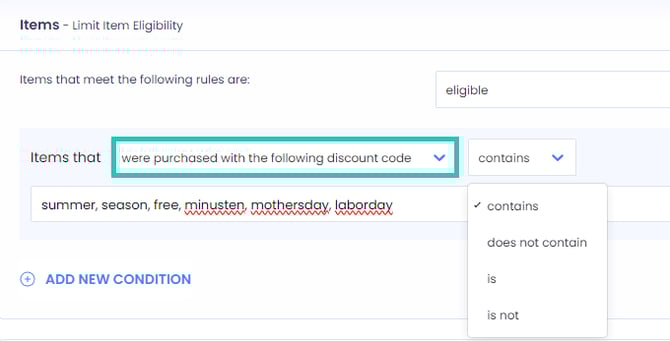
Eligibility based on discount codes
Define a limit based on the discount code used at the time of purchase. Can be set to be a partial match (“contains”) or an exact match (“is”), and their opposites. Not case-sensitive and accepts comma-separated values, for example A, B, C means A or B or C.
Eligibility based on discount value
Define a limit based on the discount value applied at the time of purchase. Can be set to be the discount amount, percentage, or comparative price percentage.
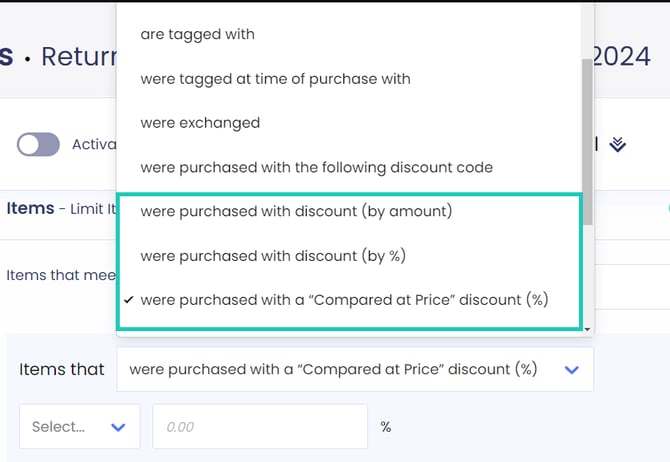
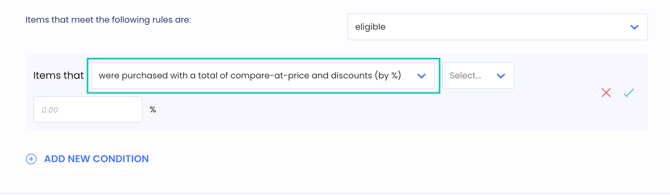
Eligibility based on total compare-at price and discount %
Set eligibility based on the total discount of Compare-at Price combined with discounts, in cases where an item has both.
Note: ReturnGO store credit discount codes are not included in this.
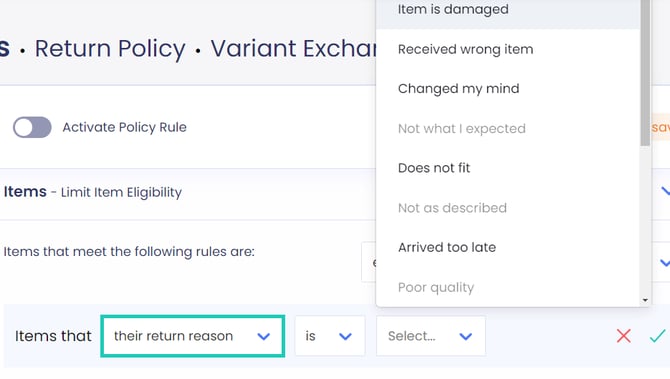
Eligibility based on return reason
Define a limit on the offered resolutions based on the selected return reason.
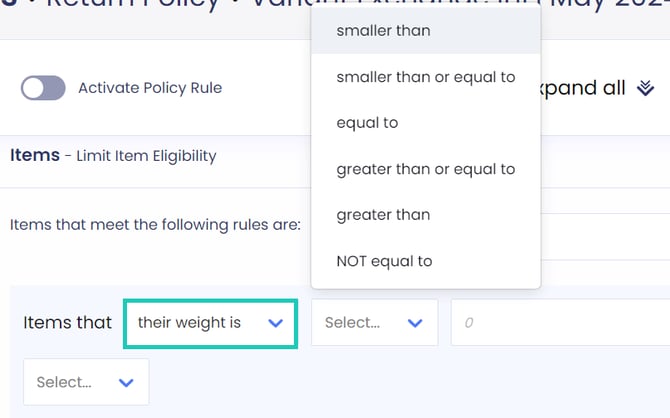
Eligibility based on the item’s weight
Define a limit based on the item's weight per unit.
Eligibility based on vendor
Define a limit based on the vendor where the item is from. Can be set to be one of the vendors or none of the vendors specified. Not case-sensitive and accepts comma-separated values, for example A, B, C means A or B or C.
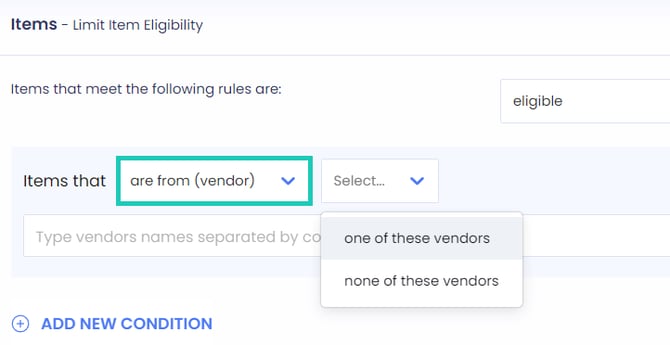
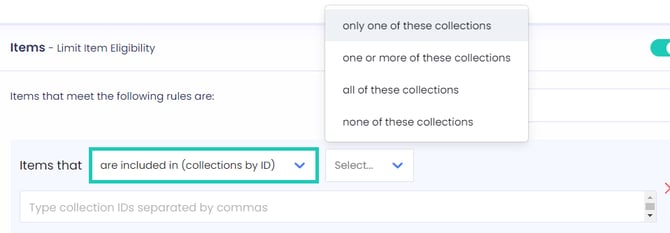
Eligibility based on collection ID
Define a limit based on the collection ID where the item is included. Can be set to be included on only one, more than one, all, or none of the collections ID specified. Not case-sensitive and accepts comma-separated values, for example 111, 222, 333 means 111 or 222 or 333.
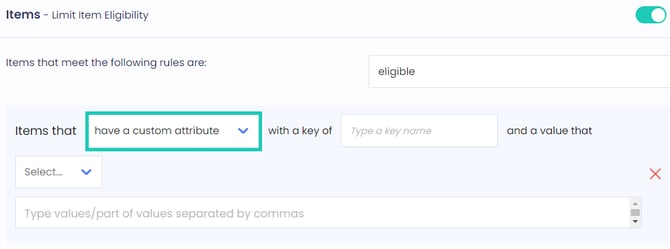
Eligibility based on a custom attribute
Define a limit based on the item’s custom attribute with its key and value. Not case-sensitive and ccepts comma-separated values, for example 111, 222, 333 means 111 or 222 or 333.
Note: Custom attributes are different from metafields. Custom attributes are dynamic values that can be defined in Shopify via API, while metafields are static configurations defined in the Shopify admin panel. In Shopify, custom attributes are stored as line item properties. This is the correct field to reference when setting up a custom attribute eligibility condition in ReturnGO.
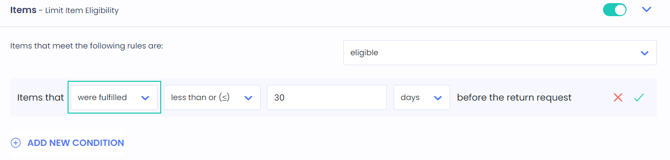
Eligibility based on item fulfillment
Define a limit based on the item’s fulfillment level. You can also set it based on the order's fulfillment level in the order-level eligibility conditions section. Eligibility by item-level fulfillment is useful in cases where items are fulfilled separately, i.e pre-order.
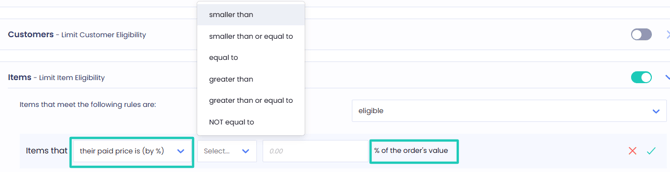
Eligibility based on percentage of the order value
Define eligibility based on the value of the item in relation to the order value.
RMA-Level Eligibility Conditions
RMA-level eligibility conditions are conditions that must be met in order for an RMA to be eligible for a certain action or status.
ReturnGO currently supports the following RMA-level eligibility rules:
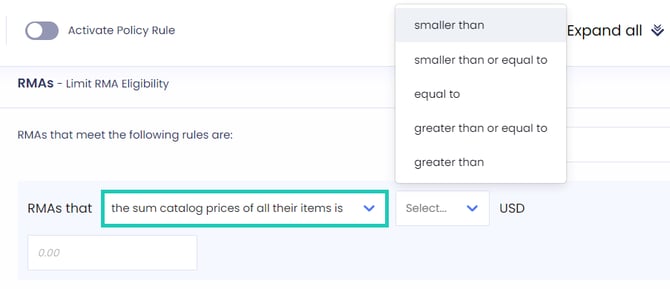
Eligibility based on the total listed price of all items being returned
Define a limit based on the total catalog price of all items selected for the return. The catalog price is the price of the item as displayed in the store.
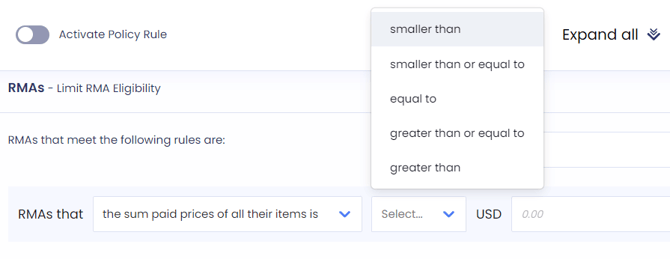
Eligibility based on the total paid price of all items being returned
Define a limit based on the total paid price of all items selected for the return. The paid price is the catalog price minus any discounts that have been applied to the item.
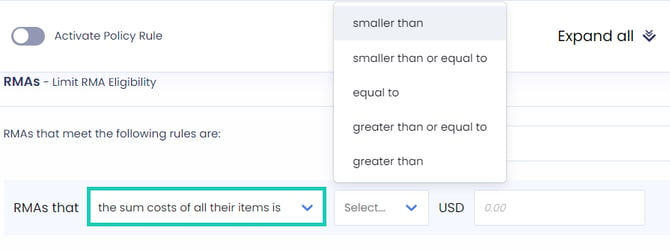
Eligibility based on the total cost of all items being returned
Define a limit based on the total cost of all items selected for the return. The cost is the merchant's monetary investment per item, which can be defined (for Shopify merchants) in Shopify Admin > Products.
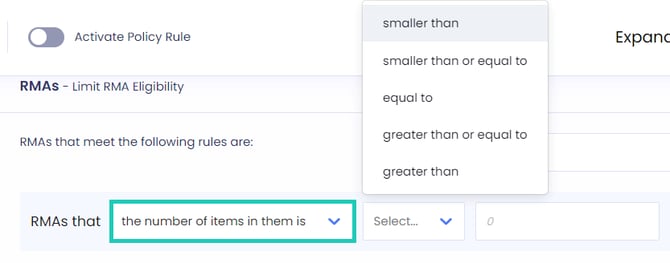
Eligibility based on the number of items being returned
Define a limit based on the number of items being returned. Uses the raw item count, for example, if 2 S shirts and 1 M shorts were returned, the item count would be 3.
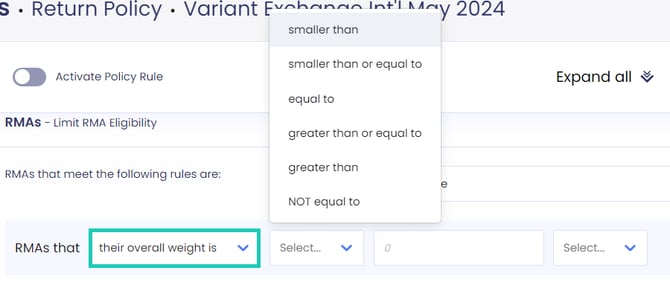
Eligibility based on the overall weight of items being returned
Define a limit based on the overall weight of the items in the RMA.
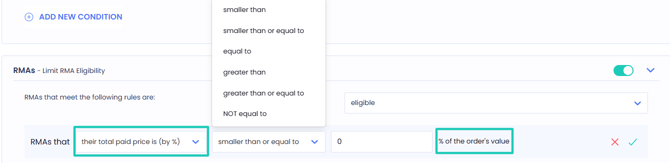
Eligibility based on percentage of the order value
Define eligibility based on the value of the RMA in relation to the order value.
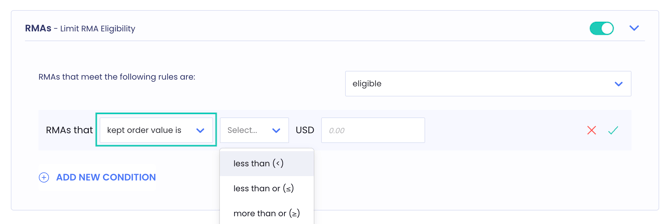
Eligibility based on the kept order value
Define a limit based on the value of the items the customer is keeping, which is the order value minus the value of the items selected for the return. Unlike the conditions above, this condition looks at what stays with the customer rather than at what is coming back.
Use this to protect order-level thresholds that the customer only met because of the items they are now returning.
Eligibility based on the RMA containing items tagged with
Define a list of item tags and check whether the return request contains any item carrying those tags. Can be set to check all, some, or none of the defined tags. Not case-sensitive and accepts comma-separated values, for example A, B, C means A or B or C.
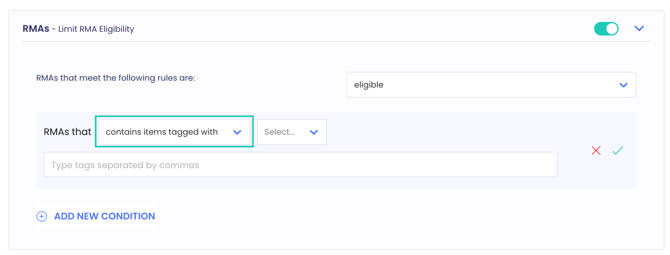
Note: This is different from the item-level tag condition. The item-level condition tests each item on its own and only blocks the item that carries the tag. This condition tests the whole return request, so the result applies to every item in it.
Custom Ineligibility Message
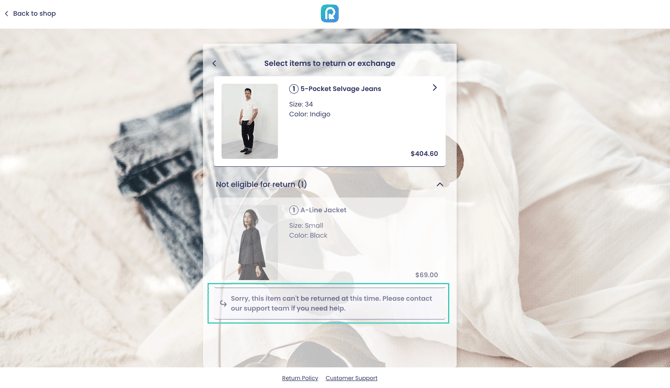
The custom ineligibility message is the text a shopper sees underneath an item that cannot be returned, on the first page of the return portal. It is shown when none of your policy rules make that item eligible, so the item appears in the order but cannot be selected.
Use it to tell the customer in your own wording why the item cannot be returned and what to do next.
How To Set a Custom Ineligibility Message
To set a custom ineligibility message:
- Go to Settings > Return Policy.
- Open the policy rule you want to edit.
- Open the Items section.
- Enter your message in the Custom Ineligibility Message field.
- Click on the save icon to save your changes.
Tracking Fallback Settings
Tracking fallback settings define how ReturnGO determines delivery status when tracking information is incomplete or missing. These settings ensure that eligibility rules and automations that rely on delivery status can still run accurately.
There are two separate configurations:
- When to refer to orders as “Delivered”: Used when checking order eligibility for conditions such as “Orders that were delivered…” but the delivery date is missing.
- When to refer to in-transit return shipments as “Delivered”: Used for automations triggered by a return shipment’s status.
Each configuration enables you to choose between Updated by tracking or a time-based fallback.
How To Configure Tracking Fallback Settings
To configure Tracking Fallback settings:
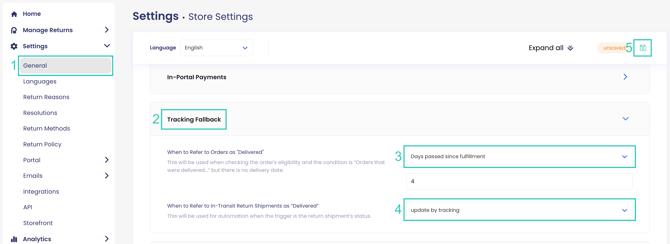
1. Go to Settings > General.
2. Open the Tracking Fallback section.
3. Set when to refer to orders as “Delivered”.
You can choose between:
-
Updated by tracking: Uses the most recent tracking update as the delivery reference date.
Note: This is recommended when carriers provide reliable tracking updates and you want return windows to reflect actual shipment activity.
- Days passed since fulfillment: Considers the order delivered after a defined number of days from the fulfillment date, even if no delivery confirmation is available.
Note: This is recommended when tracking updates are inconsistent or frequently missing, and you prefer a predictable, time-based rule.
4. Set when to refer to in-transit return shipments as "Delivered”.
You can choose between:
- Updated by tracking: Uses the most recent tracking update of the return shipment as the delivery reference point.
- Days passed since the 1st in-transit update: Considers the return shipment delivered after a defined number of days from the first in-transit tracking update.
Note: This option is useful when return carriers do not consistently provide final delivery scans, and you want automations (such as refunds or status changes) to proceed after a reasonable timeframe.
5. Click on the save icon to save your changes.
Tracking Fallback Examples
Example 1: Orders (Impacts Return Window Calculations)
An order is fulfilled on January 1.
- If you set Updated by tracking and the last tracking update is January 5, ReturnGO will use January 5 as the delivery date.
- If you configure 5 days under Days passed since fulfillment, ReturnGO will consider the order delivered on January 6.
If your return policy allows returns within 30 days of delivery, the return window will be calculated based on the fallback date determined by your selected method.
This setting directly affects eligibility rules based on delivery date.
Example 2: Return Shipments (Impacts Automation Triggers)
A return shipment receives its first in-transit update on January 10 but never receives a final “Delivered” scan.
- If you select Updated by tracking, ReturnGO will use January 10 as the reference date.
- If you configure 7 days under Days passed since 1st in-transit update, ReturnGO will consider the return delivered on January 17.
Automations triggered by a shipment received status (such as refunds or status updates) will follow the calculated fallback date.
This setting affects when return-related automations are executed.
Aligning Policy Rules
When setting up your ReturnGO policy rules, consider how different rules might interact. Alignment between your policy rules is key to ensuring a smooth return experience and achieving your desired outcomes.
Multiple policy rules can apply to a single return request, and their conditions might overlap. Without proper alignment, these overlaps could lead to unintended consequences. When creating new rules, make sure they do not contradict existing ones or create loopholes in your policy.
Tip: To avoid logic conflicts and ensure your rules work as intended, use positive logic when configuring eligibility conditions (e.g., “eligible if X is Y”) rather than negative eligibility (e.g., “not eligible if X is not Y”).
Logical Operator Usage
When configuring eligibility rules, AND and OR conditions cannot be combined within the same eligibility level (Order-level, Customer-level, Item-level, or RMA-level).
Each eligibility level must use either all AND conditions or all OR conditions exclusively.
Example:
The following condition is not supported within a single policy rule:
Items that are tagged with one or more of these tags, OR were fulfilled less than 30 days before the return request, AND their return reason is "item is damaged"
To implement complex logic involving both AND and OR operators, you must separate these into different eligibility rules or use different eligibility levels.